
Understanding the Payment Settings Page
What is this page?
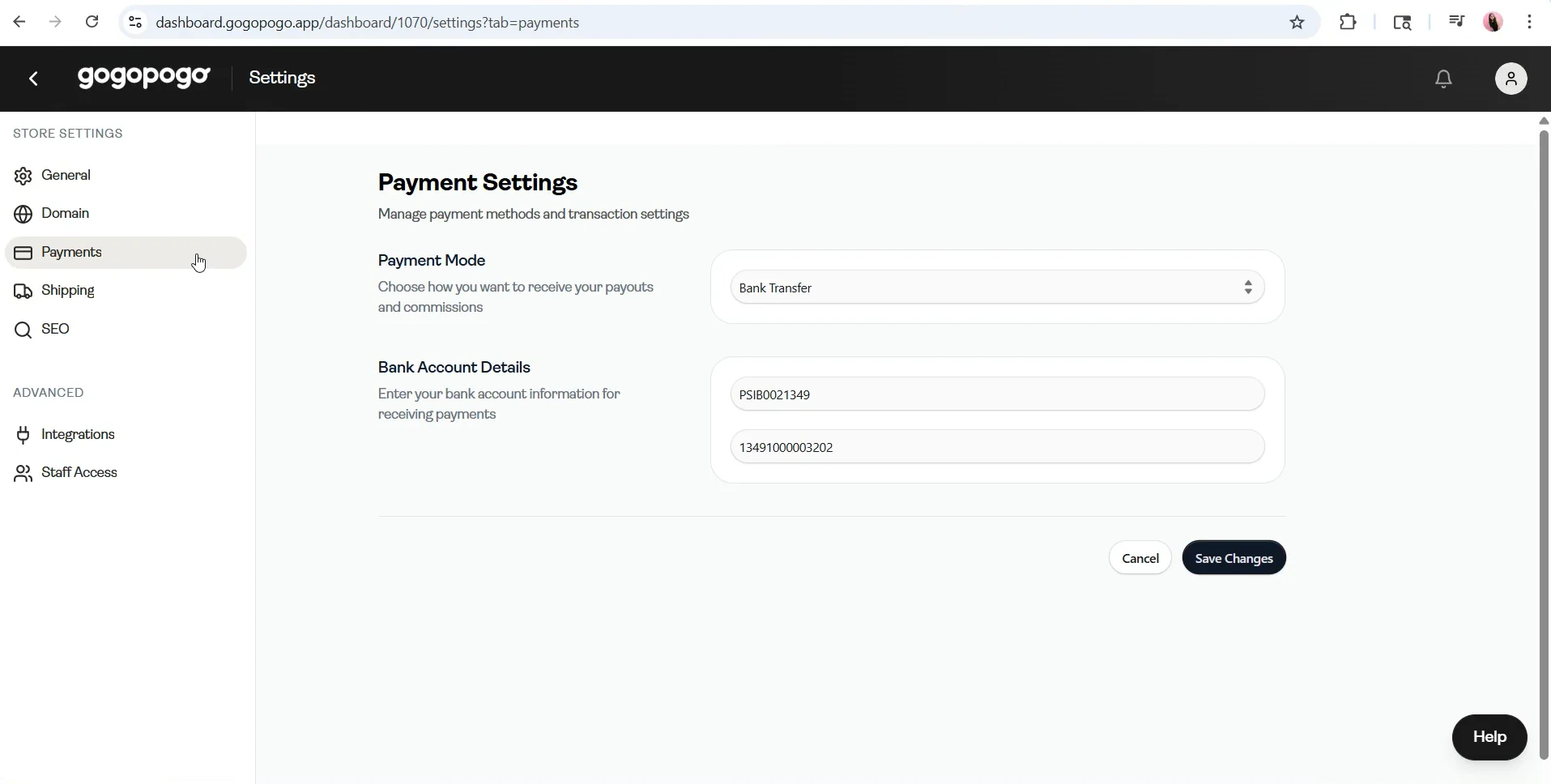
Section titled “What is this page?”The Payment Settings page is where you add your payment details. These details are used for all your payouts.
Key Information
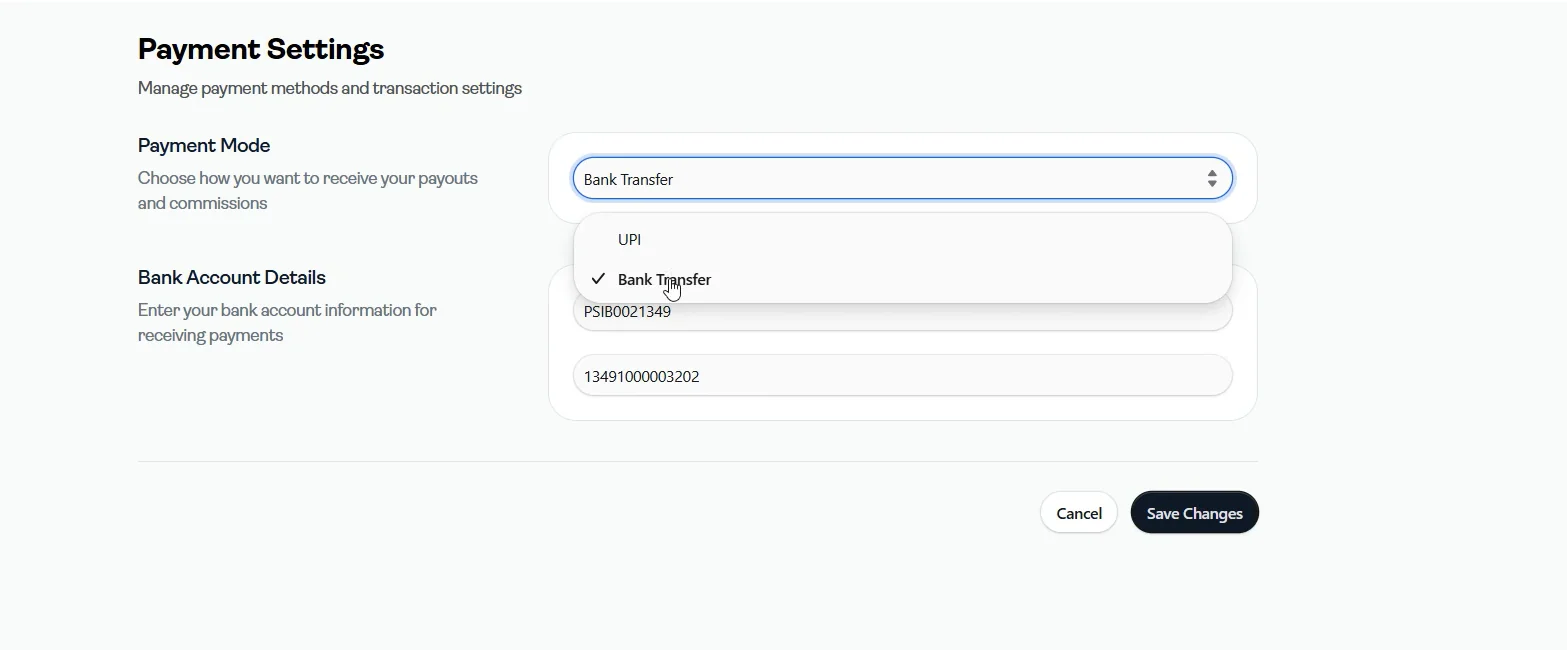
Section titled “Key Information”- Two payment modes are available:
- UPI****Bank Transfer
- Under Bank Transfer, you need to enter:
- Account NumberIFSC Code
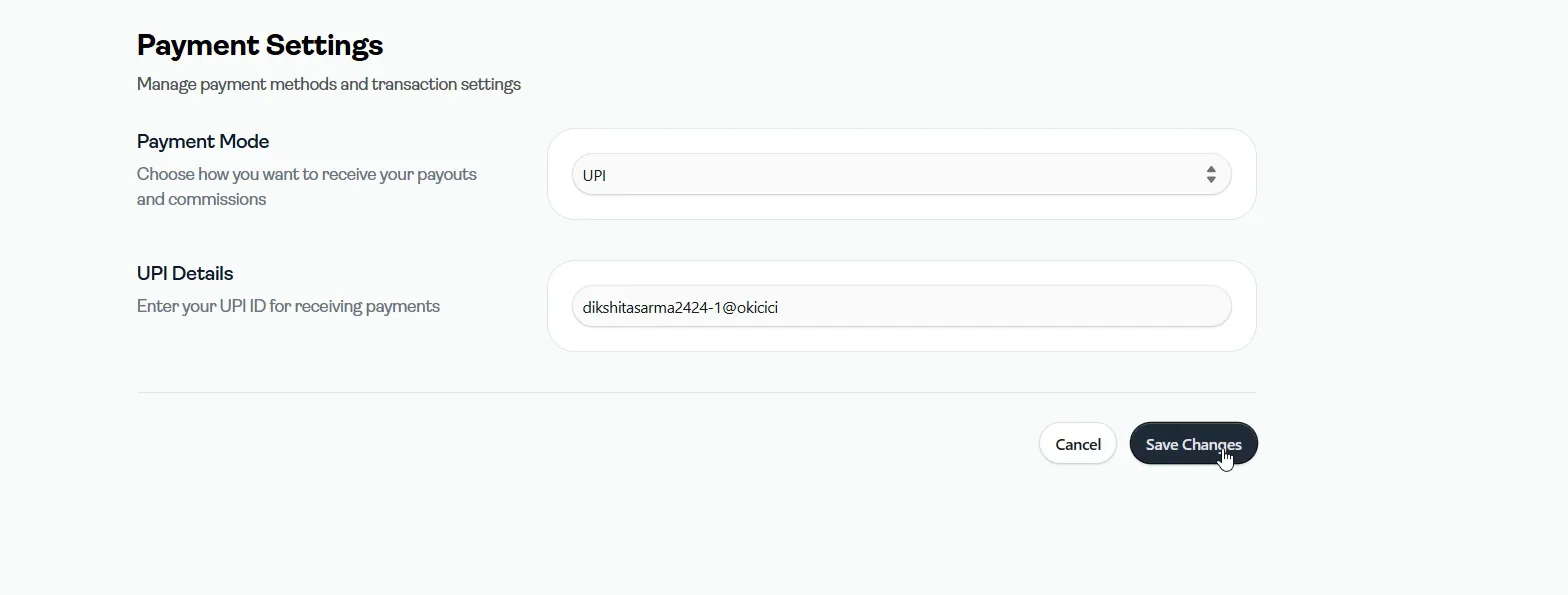
- Under UPI, you need to enter:
- UPI ID
- After entering your details, click on Save Changes to update your payment information
Important Notes
Section titled “Important Notes”- Double-check your details before saving
- Incorrect details may lead to failed or delayed payouts
- This page is directly linked from the Payouts page, so you can update details anytime