
Understanding the Abandoned Checkout Detail Page
1. Overview
Section titled “1. Overview”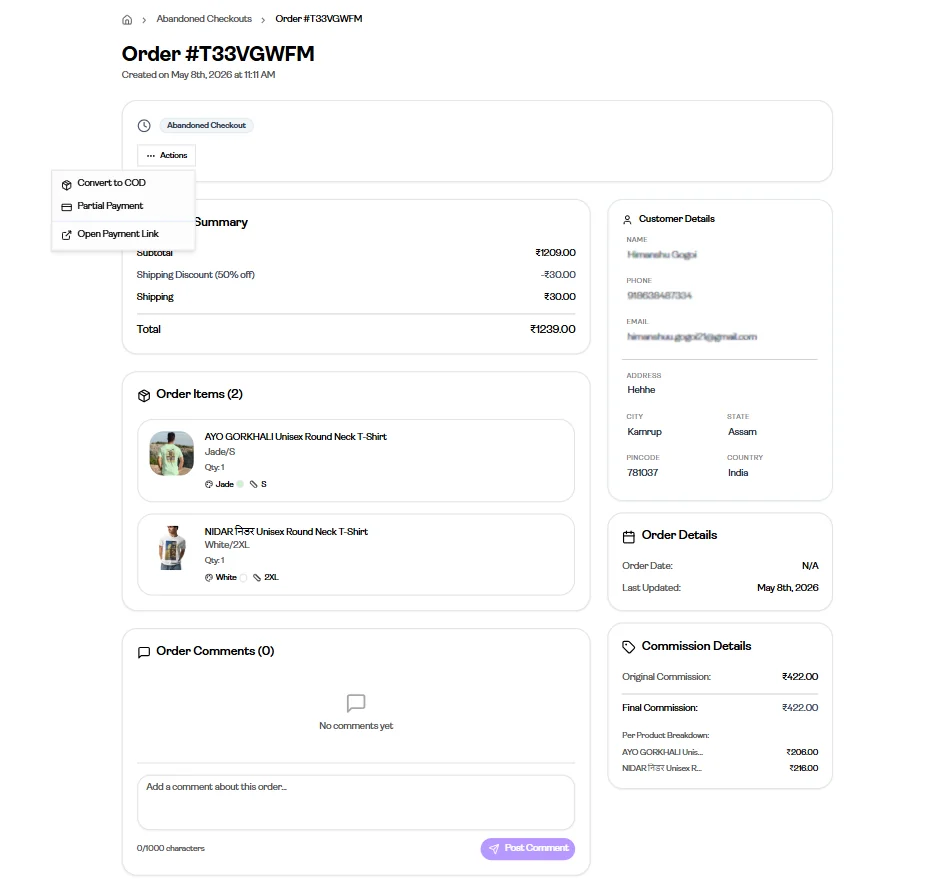
The Abandoned Checkout Detail page shows details of a checkout that was started by a customer but not completed.
From here, users can review the checkout details and take actions to help recover the order.
2. Order Information
Section titled “2. Order Information”Users can view:
- Order Summary (Price breakdown, discounts, shipping, and total)
- Order Items
- Customer Details
- Order Comments
- Order Details
- Commission Details
This provides a quick overview of the incomplete checkout.
3. Actions
Section titled “3. Actions”Available actions may vary depending on the checkout or payment status.
A. Recovery Actions
Section titled “A. Recovery Actions”Some abandoned checkouts provide recovery-related actions through the Actions menu.
Available options may include:
Convert to COD
Section titled “Convert to COD”Turn the abandoned checkout into a confirmed Cash on Delivery (COD) order.
Partial Payment
Section titled “Partial Payment”Allow the customer to complete the purchase using partial payment.
Open Payment Link
Section titled “Open Payment Link”Share the payment link with the customer so they can complete the checkout.
B. Advance Payment Actions
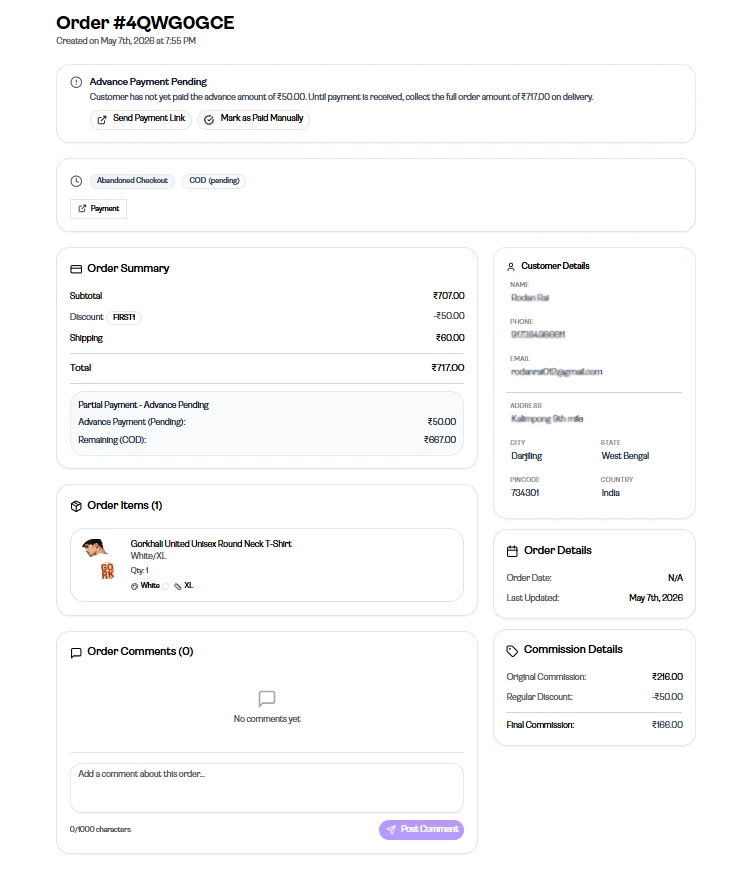
Section titled “B. Advance Payment Actions”Some abandoned checkouts may show an Advance Payment Pending status when partial payment has already been initiated.
In such cases, additional payment-related actions may be available:
Send Payment Link
Section titled “Send Payment Link”Send the payment link again to remind the customer to complete the pending payment.
Mark as Paid Manually
Section titled “Mark as Paid Manually”If payment was received outside the platform, you can manually mark the payment as completed.
4. Usage Context
Section titled “4. Usage Context”These actions help recover abandoned checkouts when following up with customers manually.
This is especially useful during communication through:
- Phone calls
- Direct customer follow-up
5. Customer Details
Section titled “5. Customer Details”Customer information is available for follow-up purposes.
This may include:
- Customer name
- Phone number
- Address
Customer details can also be edited when needed.
6. Boundaries
Section titled “6. Boundaries”This page is focused on viewing abandoned checkout details and taking recovery-related actions.
It does not cover the full order lifecycle, fulfillment processes, or advanced payment logic.