
Understanding the General Settings Page
1. Page Overview
Section titled “1. Page Overview”The General Settings Page is where you define your store’s identity, URL, regional accessibility, payment availability, and optional order-level enhancements. This page should be configured carefully during setup, as some fields (especially the Store URL) have long-term impact.
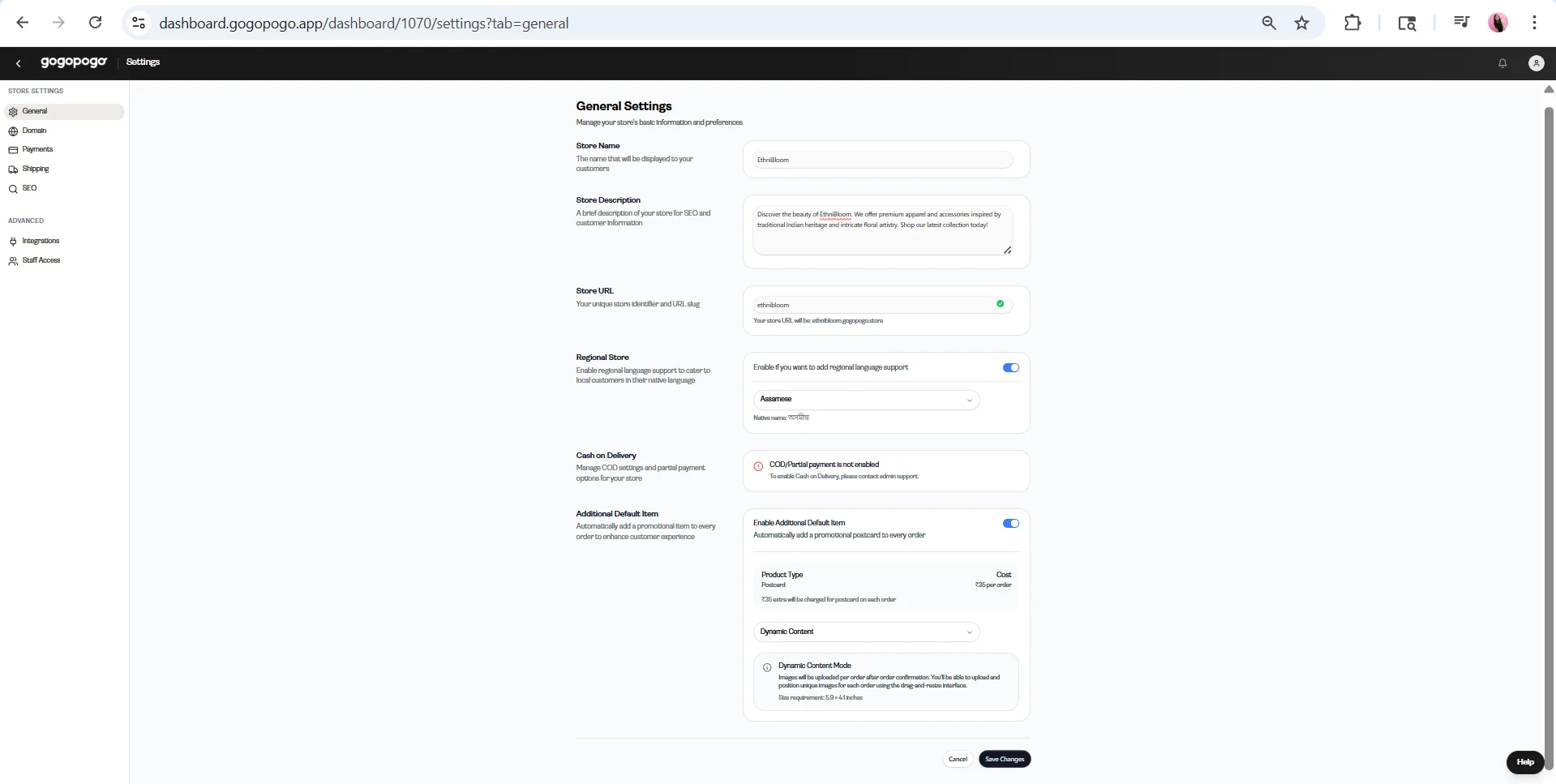
2. Store Name
Section titled “2. Store Name”What it is
- Your Store Name is your customer-facing identity.
Where it appears
- Storefront
- Emails
- Invoices and receipts
- Notifications
Best practices
- Keep it brand-friendly and memorable
- Avoid unnecessary symbols or long names
- Do not change frequently, as this can create inconsistency in branding and confuse customers
3. Store Description
Section titled “3. Store Description”Purpose
- Supports SEO (search engine visibility)
- Helps customers quickly understand your store
What to include
- What you sell
- Who your products are for
- Your brand tone (e.g., premium, minimal, playful)
Important tip
- Do not leave this empty or random. A weak or missing description can negatively affect discoverability later.
4. Store URL (Critical Section)
Section titled “4. Store URL (Critical Section)”What it is
- Your Store URL is your unique store slug that forms your main link.Example: yourstore.gogopogo.store
Important warnings
- Do not change frequently — this can break links, affect SEO, and weaken branding
- Never change if:
Impact of changing the URL
- Breaks customer bookmarks
- Reduces repeat visits
- Affects customer trust
Recommendation
- Set it correctly once and avoid modifying it later.
5. Regional Store
Section titled “5. Regional Store”What it does
- Enables regional language support for your store.
When to use
- When targeting local audiences, especially in India
Clarifications
- This is an optional feature
- Useful when scaling your store to wider audiences
- Not mandatory during initial setup
- The feature is still developing and may improve over time
6. Cash on Delivery (COD)
Section titled “6. Cash on Delivery (COD)”What it is
Cash on Delivery allows customers to:
- Pay at the time of delivery
- Use partial payment options (where applicable)
Current limitation
- COD is not enabled by default
- To enable COD, you must contact admin support
Important clarification
- This is not a self-service feature
- It cannot be enabled directly from this page
When to enable
- Particularly useful in the Indian market
- Helps build trust and can improve conversion rates, especially for new customers
7. Additional Default Item (Optional)
Section titled “7. Additional Default Item (Optional)”What it does
- Automatically adds an item (e.g., a postcard) to every order.
Key clarifications
- This feature is optional
- The item is added per order, not per product
When Enabled
- When enabled, additional configuration options appear:
Product Type and Cost
- Example: Postcard
- A fixed cost is applied per order (as shown in the UI)
- This cost is charged for every order where the item is included
Static Content
Section titled “Static Content”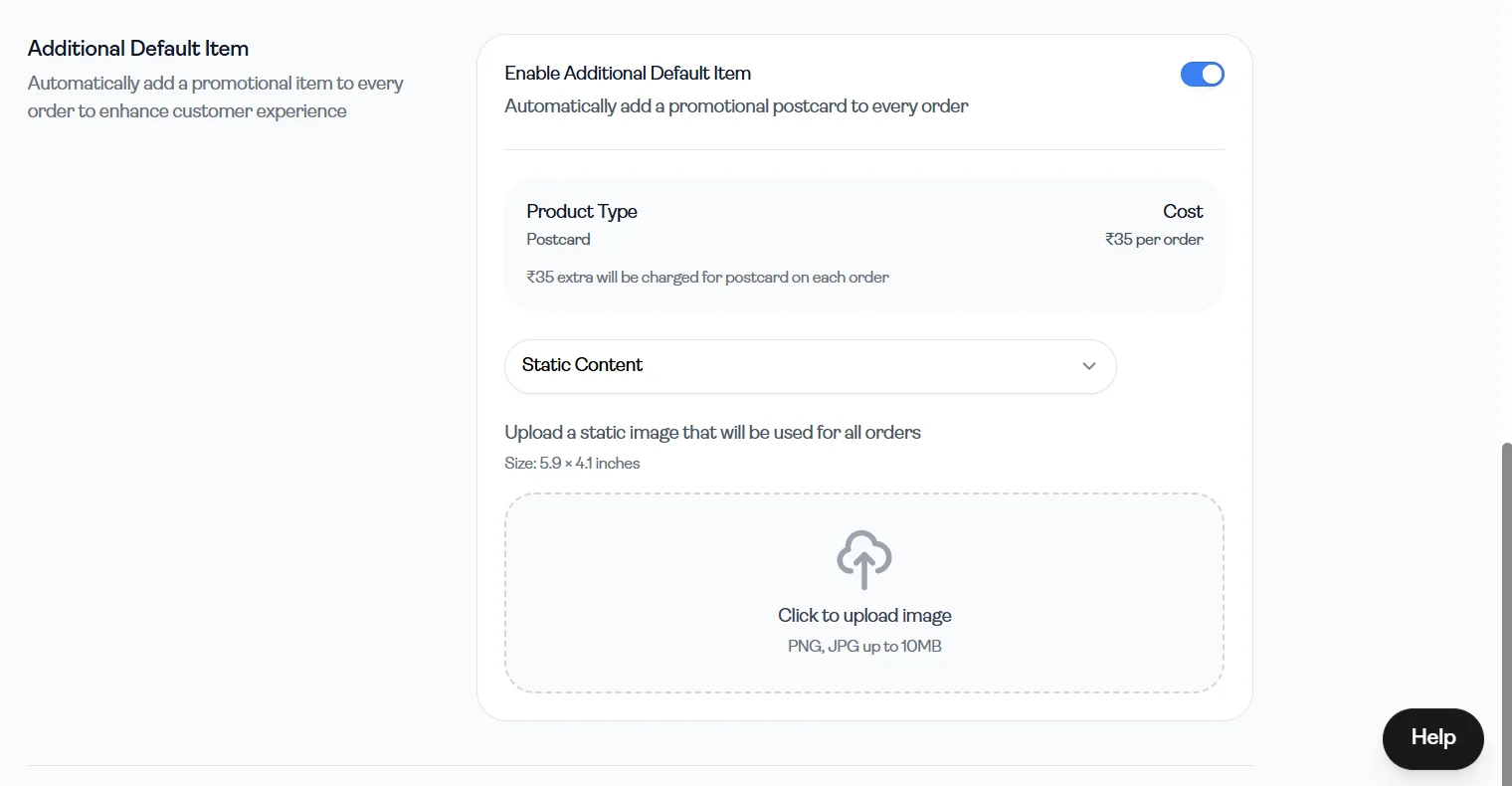
What it means
- The same design is used for every order
How it works
- You upload a single image
- That image is automatically included in all orders
Requirements
- Size: 5.9 × 4.1 inches
- Format: PNG or JPG
Use cases
- Thank-you cards
- Branding inserts
- Promotions
Dynamic Content
Section titled “Dynamic Content”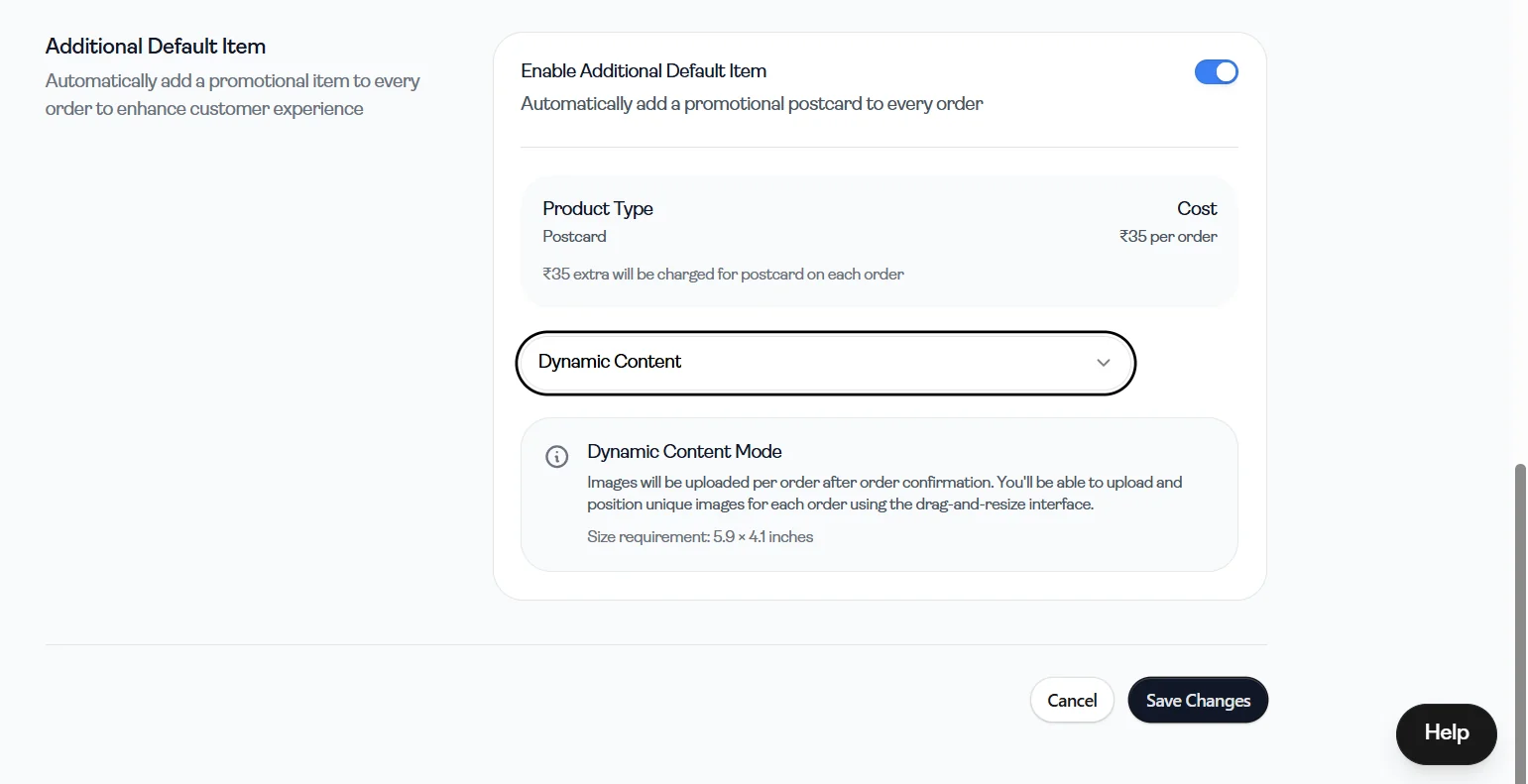
What it means
- Content can vary for each order
How it works
- Images are uploaded after order confirmation
- You can customize content per order
Requirements
- Size: 5.9 × 4.1 inches
Use cases
- Personalized messages
- Customer-specific promotions
Important points
- An additional cost is applied per order
- Useful for branding and marketing purposes
Not mandatory
- This feature is not required for your store to function
- It can be skipped during initial setup
8. Save Changes
Section titled “8. Save Changes”After making updates, click “Save Changes” at the bottom of the page to apply them.Changes will not be reflected unless saved.