
Understanding the Abandoned Checkouts Page
1. Overview
Section titled “1. Overview”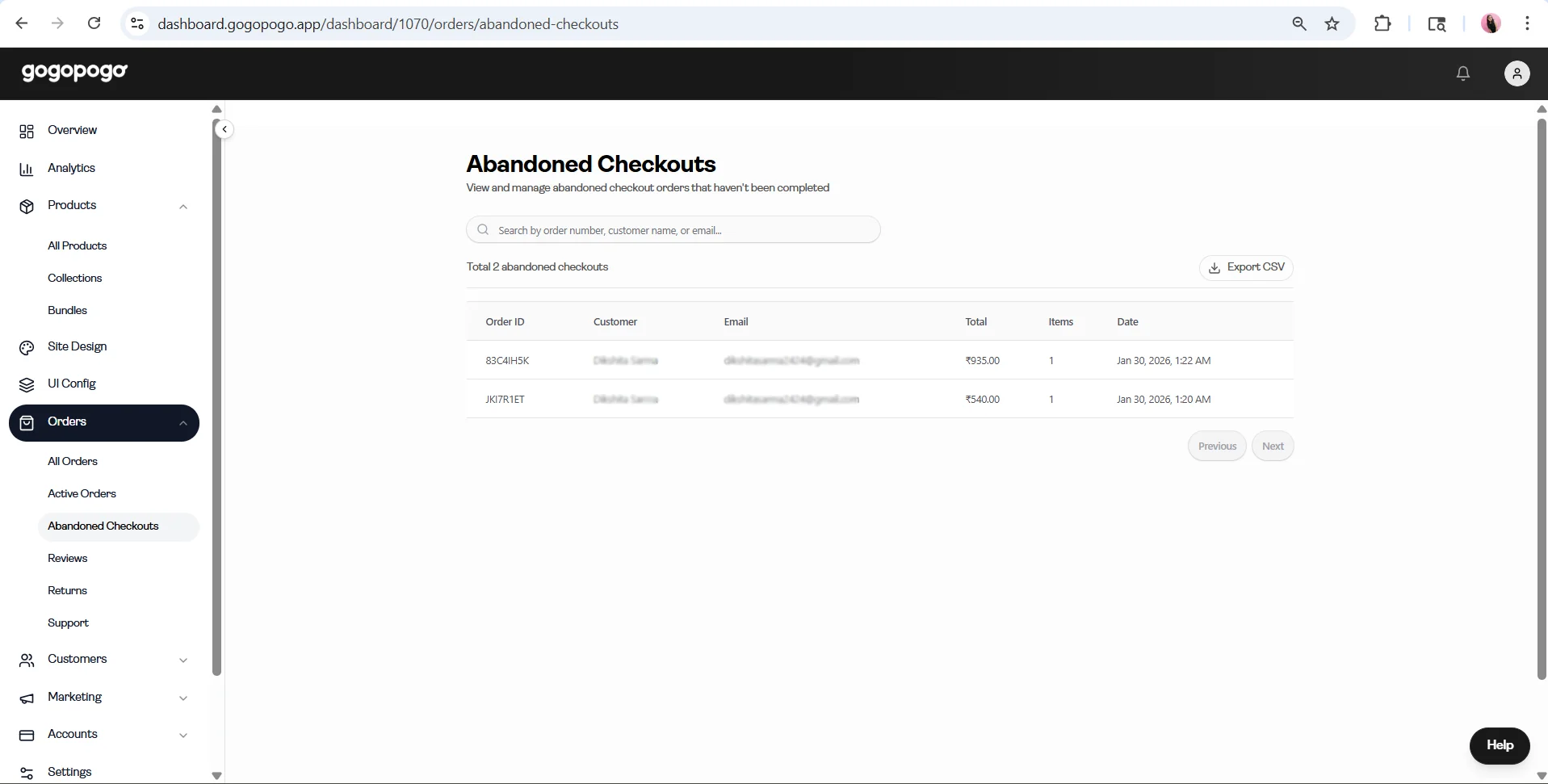
The Abandoned Checkouts page shows checkout attempts that were started but not completed by customers.
2. Importance
Section titled “2. Importance”Abandoned checkouts represent customers who showed interest in purchasing but did not finish the checkout process.
This can help you:
- Follow up manually with customers
- Understand possible checkout drop-offs
3. Table Understanding
Section titled “3. Table Understanding”Each row represents an abandoned checkout.
The table includes details such as:
- Order ID
- Customer
- Total
- Items
- Date
This helps you quickly review incomplete checkout activity.
4. Search
Section titled “4. Search”Use the search bar to find abandoned checkouts by Order ID, customer name, or email.
5. Export Option
Section titled “5. Export Option”You can export abandoned checkout data as a CSV file.
6. Boundaries
Section titled “6. Boundaries”This page is designed for viewing and tracking abandoned checkouts.
It does not cover detailed recovery strategies, marketing automation, or notification workflows.