
Understanding the Master Statement Page
What is this page?
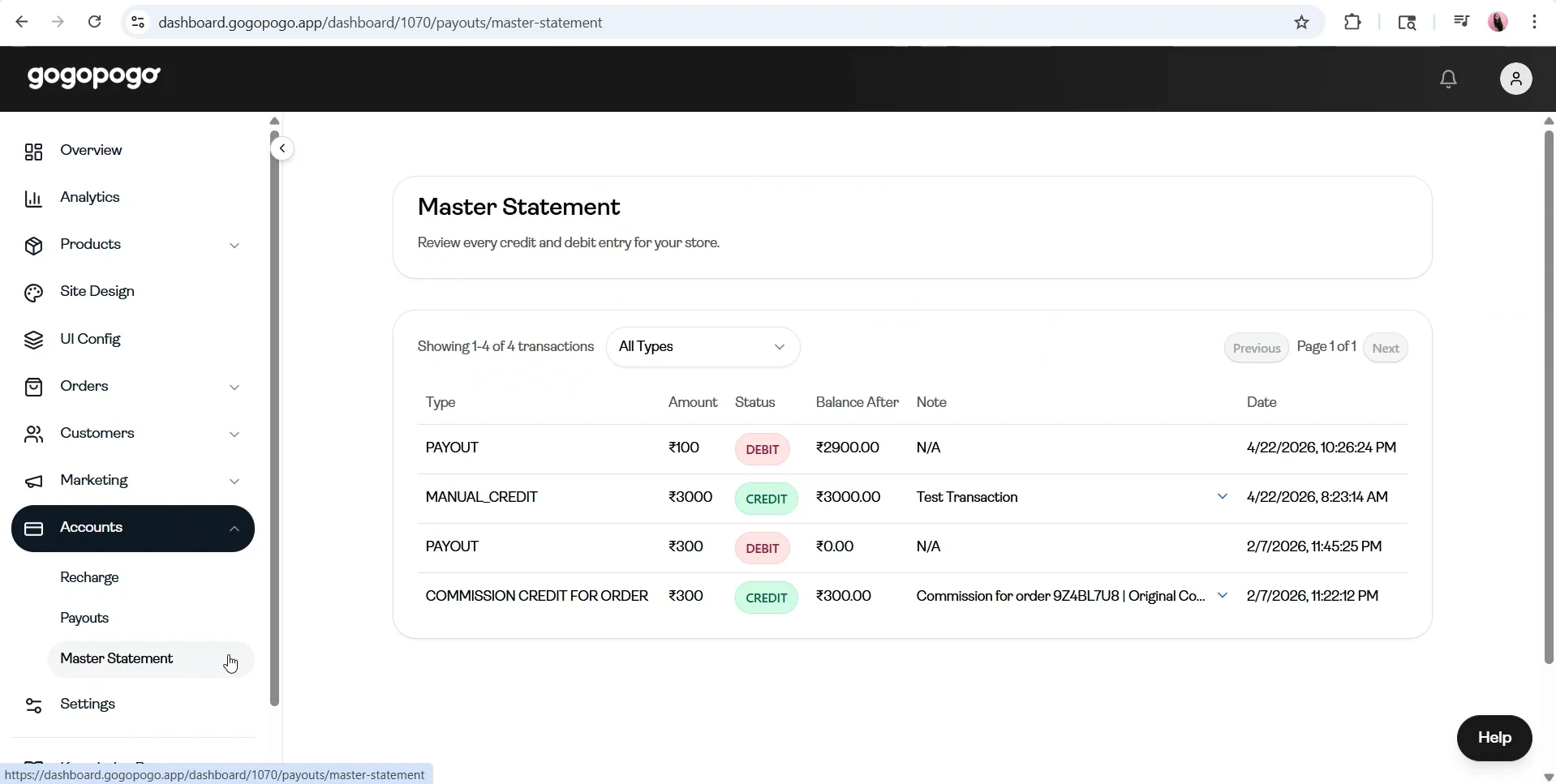
Section titled “What is this page?”The Master Statement page shows a complete history of all your transactions, including credits and debits. It helps you understand your earnings, payouts, and adjustments.
Key Information
Section titled “Key Information”- Transactions are displayed in a table format with the following columns:
- TypeAmountStatus (Credit/Debit)Balance AfterNote****Date
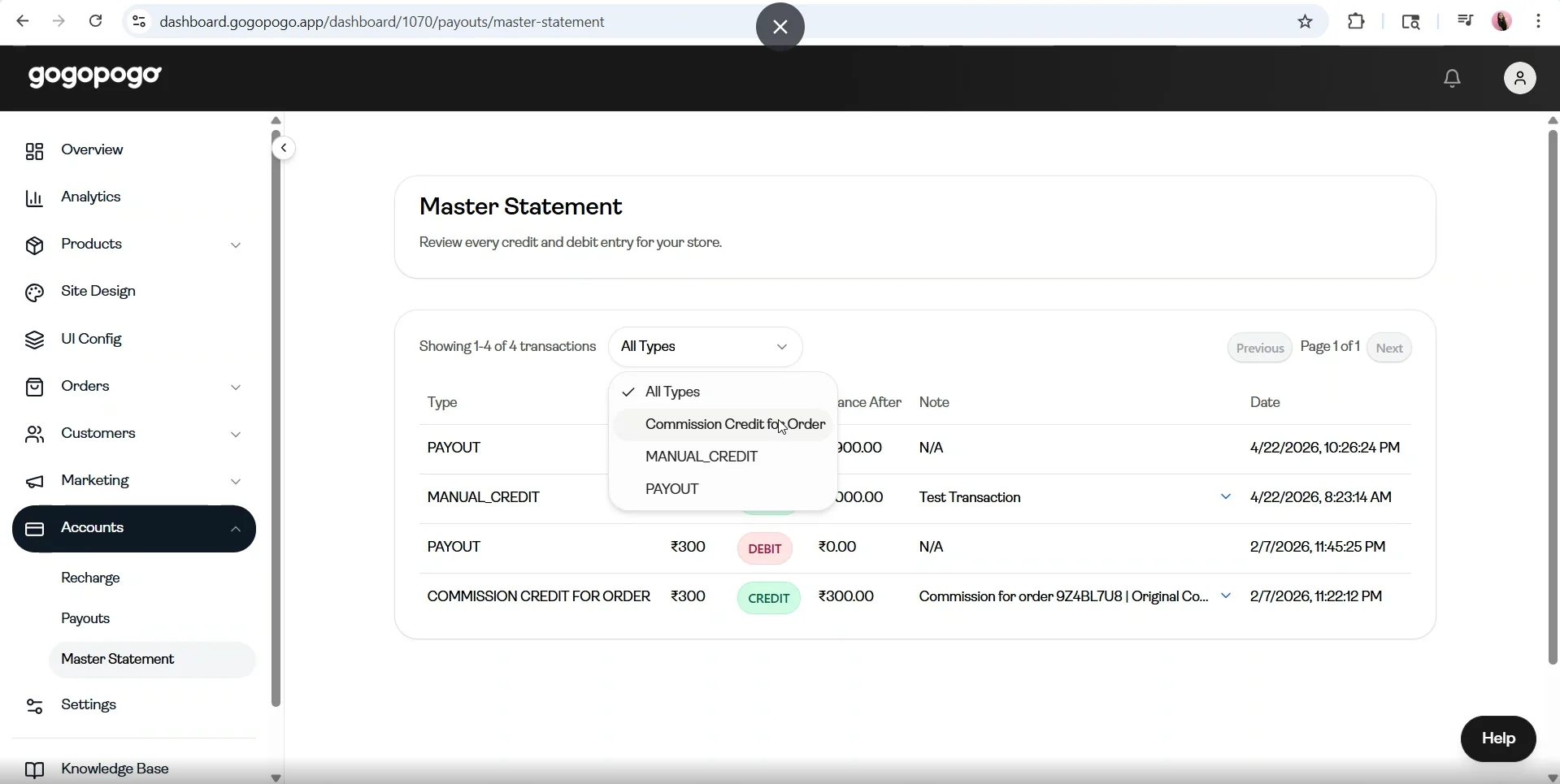
- At the top, you will see a filter option with the following choices:
- All TypesCommission Credit for OrderManual_Credit****Payout
- It also shows the total entries (e.g., Showing 1–4 of 4 transactions)
- Navigation is available using Previous / Next buttons with page numbers
Status / Terms Explanation
Section titled “Status / Terms Explanation”- Credit (Green) – Money added to your account
- Debit (Red) – Money deducted from your account
- Commission Credit for Order – Earnings from orders
- Manual Credit – Manually added amount
- Payout – Money withdrawn
Important Notes
Section titled “Important Notes”- This page contains your complete transaction history
- Use the filter to quickly find specific transaction types
- Check this page to verify any earning, payout, or deduction